Convert a bank statement PDF to Excel or CSV

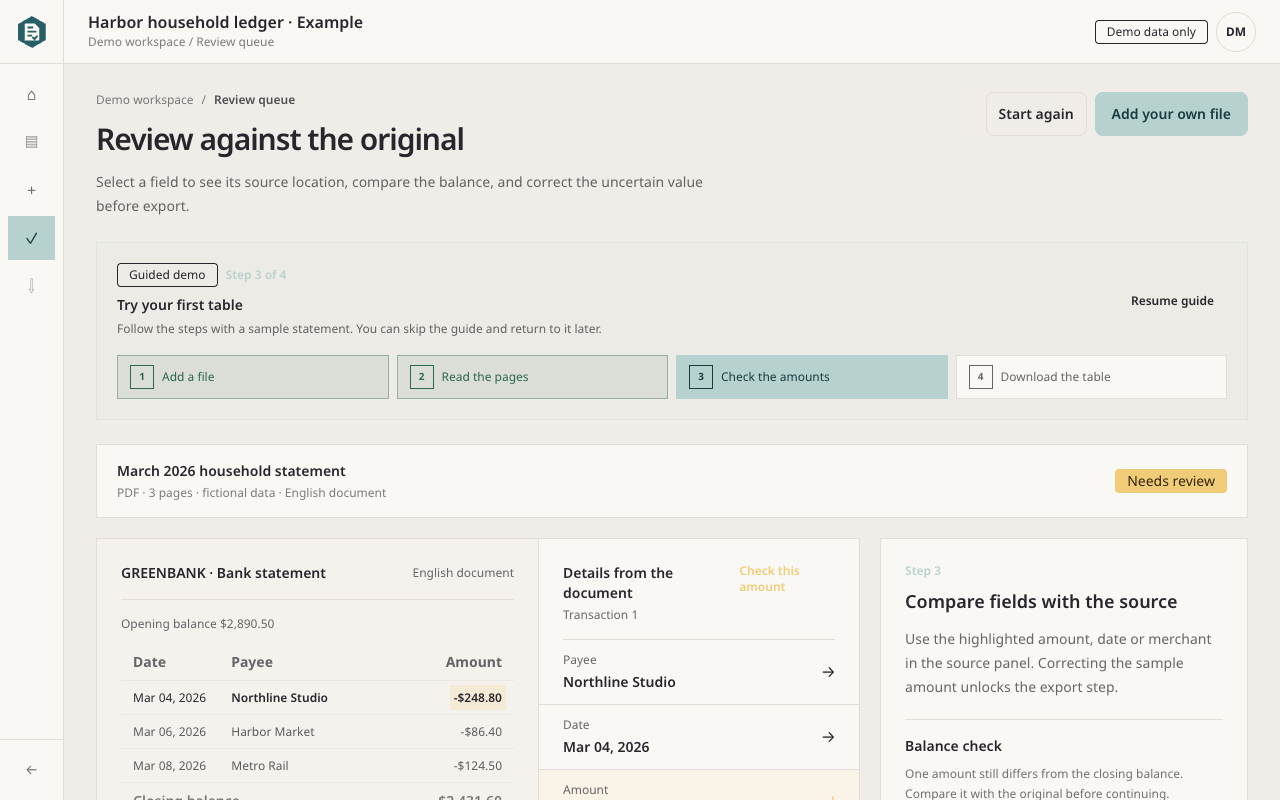
Upload a bank statement PDF or a clear photo. Rahunko reads the dates, descriptions, money movements and balances, then lets you check each row before you download a table.

Open the bank statement example

01Get the fields you need

A row such as 04 Mar 2026 · Studio rent · 320.00 · 1,680.00 can become a date, description, debit and balance ready for a spreadsheet. Columns remain separate when the statement clearly labels them.

  • Works with digital PDFs, scans and phone photos.
  • Keeps the original page beside the extracted rows.
  • Leaves an unclear amount or currency for you to resolve.

02Review before you use the table

Compare unusual rows with the statement page, especially when a scan is blurred or has several numeric columns. Balance checks appear only when the statement includes the values needed for the calculation.

  • Similar purchases stay as separate rows.
  • Unclear amounts stay open for your review.
  • Processing finished does not mean the statement has been approved.

03Download a useful file

After review, download CSV, XLSX or JSON for your spreadsheet or records. Keep the original page with the result so you can check a row later.

  • Choose the format that fits your next step.
  • Use the reviewed values in your existing table.
  • Start with the bank statement example or upload your own file.

Rahunko keeps the original statement available while you check the table.